


Pocket ICU
3.77.00 Reviews
App Specs
- Version
- 2.8.47
- Updated On
- License
- Free
- Downloads
- 50,000+
- Developer
- Unbound Medicine, Inc
- Categories
- Medical
- Platform
- Android
Screenshots
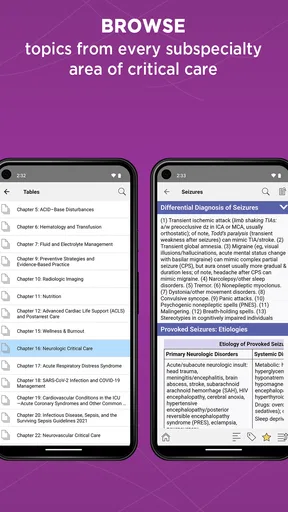
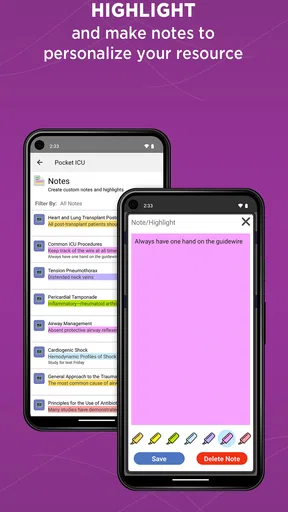
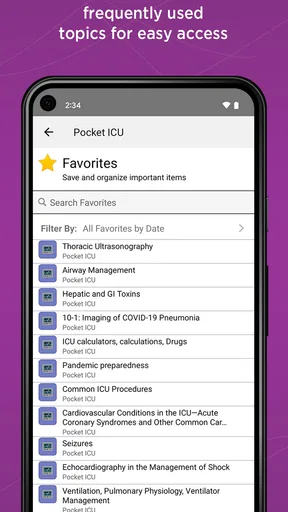
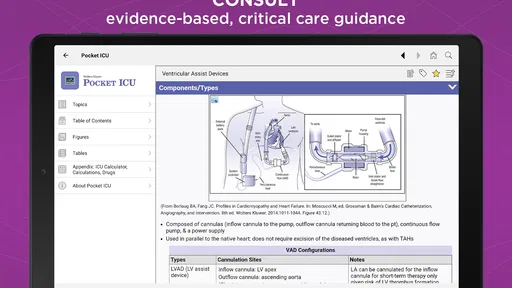
 Analysis by AppCompare
When I’m deciding whether a medical reference app deserves space on my phone, I start with one question: does it help me find a useful answer quickly, without encouraging me to treat a screen as a substitute for clinical judgment? Pocket ICU is aimed at intensive-care reference rather than general wellness, so its value depends on whether ICU material is part of your work or study. I’d approach it as a supporting resource, not as a tool that makes decisions for you.
That distinction matters most in a high-pressure setting. A pocket reference can help you orient yourself, revisit a concept, or check a calculation, but patient-specific decisions still belong within professional practice and local protocols. If you want a broad health encyclopedia or an app for tracking your own symptoms, this is probably not the right place to start.
Who is likely to get the most from it?
I can see the strongest fit for clinicians who regularly encounter critical-care topics, and for learners who want a portable way to revisit them between formal study sessions. The app is published by Unbound Medicine, Inc., a developer focused here on a medical reference product. It is free to install, rated for Everyone, and has an average rating of 3.7 from around 150 ratings, which gives a prospective user some context without telling the whole story of whether it suits their own routine.
For a new resident, for example, the useful moment may be a quiet pause before rounds: open the relevant reference, review the topic, and then compare it with the team’s current guidance. For an experienced professional, the benefit may be more selective—a quick refresher on a topic that does not come up every shift. Neither use case removes the need to confirm that information is current and appropriate for the patient in front of you.
What to check before relying on a pocket reference
Medical apps can vary widely: some are built around broad articles, others focus on calculators, and some are tied to a specific clinical workflow. Pocket ICU’s emphasis is critical care, so I’d judge it by how directly its material supports the questions you actually face. Before making it part of a routine, try searching for a few topics you often need, see whether the wording is easy to scan, and check whether the information matches the references and procedures used at your workplace.
That small trial is more useful than assuming that an ICU label guarantees coverage of every specialty, protocol, or local practice. A general medical reference may be more convenient when you need breadth across many areas; a hospital-approved system is the better choice when you need institution-specific instructions. Pocket ICU makes the most sense when you want a focused companion and understand where its role ends.
First Impressions and User Interface
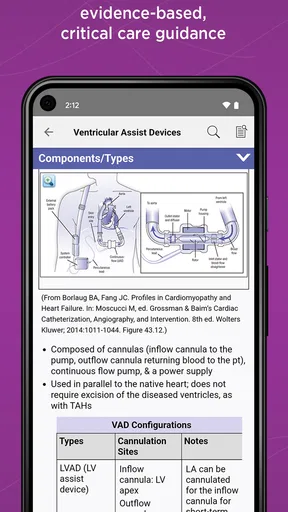
The first thing that struck me about Pocket ICU was its clean and intuitive user interface. As soon as you open the app, you're greeted with a dashboard that's both straightforward and informative. The design is minimalistic, which I appreciate because it helps in navigating through the app without any fuss. It doesn’t overwhelm you with too many options right off the bat, which is a plus for those of us who prefer simplicity over clutter.
Worth Reading Before You Choose

EA SPORTS FC Mobile 26 Is a Bigger Football Game, but It Takes Time

Flipboard Shows What News Apps Must Do Beyond the Feed

Switching to Android Auto Means Rethinking Your Driving Routine

Google Calendar Makes a Crowded Week Easier to Manage

Ludo King Makes the Most of the Minutes Between Plans

Baby Panda World Brings Quick Play to Modern Phones, but Its Game Library Feels Busy
The color scheme is easy on the eyes, and the fonts are crisp and clear. Whether you’re using it on an Android or an iOS device, the experience remains seamless. I’ve tried it on both platforms, and trust me, there’s no noticeable difference in performance.
Features That Stand Out
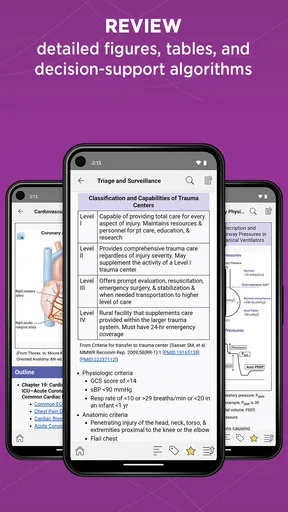
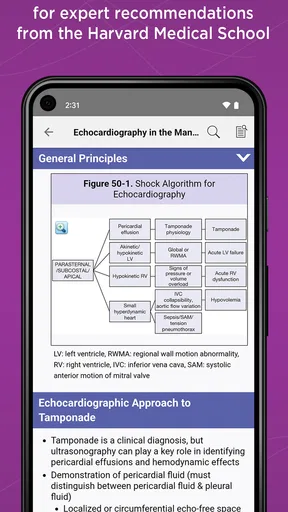
Now, let’s dive into what makes Pocket ICU truly shine. One of the standout features is its comprehensive database, filled with detailed information on a plethora of ICU-related topics. Whether you're looking up treatment protocols, drug dosages, or just refreshing your memory on certain medical conditions, this app has got you covered.
Another feature worth mentioning is the built-in calculators. As a healthcare professional, you know how crucial it is to have accurate calculations at your fingertips. With calculators for things like fluid balance, BMI, and renal function, it’s like having a mini ICU reference guide right in your pocket. No more scrambling for a calculator or flipping through pages of a handbook!
Making the reference useful in a real shift
The practical advantage of combining reference material with calculators is that it can shorten a small but familiar task: moving from a question to a structured check. Imagine a clinician with a brief lull between bedside responsibilities who wants to revisit a critical-care topic, then work through a calculation before discussing it with colleagues. Having those tools together can reduce the need to jump between a web search, a separate calculator, and a printed handbook.
I would still treat every result as a prompt to verify, not as an order. Calculators depend on correct inputs and on choosing the right method for the clinical question. A useful habit is to pause before accepting an output: confirm the units, check that the patient details were entered correctly, and compare the result with the relevant clinical guidance. That extra step is especially important when the calculation could influence care.
For students, the same combination can support deliberate practice. Rather than tapping through tools at random, pick a topic from a recent lesson, look up the concept, and use a calculator only when it genuinely helps explain the reasoning. That turns the app into a study aid instead of a shortcut around understanding. If your main need is a single specialist calculator, though, a dedicated tool approved for that specific purpose may be easier to audit and use consistently.
Real-Time Updates and Notifications
One of the aspects I found particularly useful is the app’s ability to provide real-time updates and notifications. In the fast-paced world of healthcare, staying updated is crucial. Pocket ICU does a stellar job of sending alerts and updates on the latest medical news and research. It's like having a personal assistant keeping you informed about what’s new in the realm of intensive care.
The notifications are customizable, so you can tailor them to your specific interests. Whether it's receiving alerts about new clinical guidelines or updates on medical devices, the app ensures you’re always in the loop.
Choosing notifications without creating noise
Alerts can be useful, but they can also become one more interruption in an already demanding day. I’d start with only the updates that genuinely match your work or learning goals, then adjust if they prove valuable. A notification is a pointer to information, not proof that a recommendation applies to every patient or replaces a formal guideline. If you need a dependable record of current institutional policy, check the source your workplace designates rather than relying on a general alert.
There is also a practical trade-off between staying informed and keeping attention available for the task at hand. During focused work, I prefer to review non-urgent updates at a planned moment instead of treating each alert as something that needs immediate action. That approach preserves the app’s value as a reference while reducing the chance that a stream of updates becomes background noise.
User Experience and Accessibility
Accessibility is another area where Pocket ICU excels. The app is designed to be user-friendly for all levels of tech-savviness. Whether you're a seasoned intensivist or a resident just starting out, you’ll find it easy to navigate. The app is also accessible offline, which is a lifesaver when you're in areas with poor internet connectivity. It ensures that critical information is always at your disposal, no matter where you are.
Moreover, the app supports multiple languages, making it a versatile tool for healthcare professionals around the globe. The developers have clearly put a lot of thought into making this app as inclusive as possible.
Planning for offline use and a change of app
Offline access is most useful when you prepare before you need it. I’d open the sections I expect to consult while connected, then check what remains available in a setting with unreliable service. This is a sensible precaution for any reference app: do not wait until a connection drops to discover that the material you need is unavailable. Offline convenience also does not mean the content is automatically current, so I would make a point of checking updates when I have reliable access.
If you are moving from another reference, expect a short adjustment period while you learn where topics and tools sit in this app. To make the switch less disruptive, keep your existing trusted reference available until you have tested the searches and workflows you rely on most. That is particularly important if your current source is embedded in local clinical procedures. A portable app can complement that source, but convenience alone is not a reason to replace a required institutional resource.
Price, version, and the decision to try it
The app is free to download, while it also offers in-app purchases priced at $69.99 per item. I would check what the paid option includes and whether it covers material I would actually use before spending anything; the free download makes an initial look possible, but it does not mean every part of the experience is necessarily free. The current version is 2.8.47, and the minimum operating-system requirement is version 9, so it is worth checking device compatibility before planning to use it on an older phone or tablet.
Its 50,000-plus installs suggest that it has reached a substantial group of users, but popularity alone cannot tell you whether its content fits your workplace or learning needs. The app has been available since July 8, 2015, so I would still judge it by the current material and how it behaves on my device rather than by age or reach. A short, focused trial is the best way to answer practical questions: can you locate a familiar topic, understand the presentation, and use the relevant tools without friction?
Conclusion: A Must-Have for Healthcare Professionals
In conclusion, I’d say Pocket ICU is a must-have app for anyone involved in intensive care. Its robust features, user-friendly interface, and real-time updates make it an invaluable companion in the medical field. Whether you're using it as a quick reference tool, a calculator, or just to stay updated with the latest in healthcare, this app delivers on all fronts.
So, if you haven't tried it yet, give it a shot. You can download it for both Android and iOS from the respective app stores. Trust me, once you start using Pocket ICU, you’ll wonder how you ever managed without it!
My recommendation
I would try it if critical-care material comes up often in your work or studies and you want reference, calculators, and updates gathered in one place. I would skip it if you need a broad medical encyclopedia, a locally maintained protocol system, or a tool whose outputs can be used without independent checking. Those are different jobs, and choosing the app that matches the job matters more than choosing the one with the fullest feature list.
My practical advice is to test it with a few familiar tasks rather than relying on a general impression. Check a topic you already know, work through a calculation you can verify independently, and see whether the layout helps you move efficiently. If those checks fit your routine, it can earn a place alongside—not in place of—professional judgment and your organization’s trusted guidance.
Pros
- Comprehensive medical resource library.
- User-friendly interface with quick navigation.
- Regular updates with latest medical guidelines.
- Offline access for critical situations.
- Supports both iOS and Android devices.
Cons
- Requires medical background for full utility.
- Some features behind a paywall.
- Initial setup can be time-consuming.
- Limited customization options.
- Heavy on battery with prolonged use.
FAQs for Pocket ICU
What is Pocket ICU and how can it assist healthcare professionals?
Pocket ICU is a comprehensive mobile application designed to support healthcare professionals working in intensive care units. It offers a wide range of resources, including medical calculators, drug reference guides, and critical care protocols. By providing quick access to essential information, it aids in making informed decisions and improving patient outcomes.
Is Pocket ICU available on both Android and iOS platforms?
Yes, Pocket ICU is available for download on both Android and iOS platforms. Users can access the app through the Google Play Store for Android devices and the Apple App Store for iOS devices, ensuring compatibility with a wide range of smartphones and tablets.
Does Pocket ICU require an internet connection to function?
Pocket ICU is designed to be used offline, which means it doesn’t require an internet connection for most of its features. This offline capability is especially beneficial for healthcare professionals working in environments with limited or unreliable internet access, allowing them to access critical information anytime, anywhere.
How does Pocket ICU ensure the accuracy and reliability of its content?
Pocket ICU collaborates with medical experts and follows rigorous review processes to ensure the information provided is accurate and up-to-date. Regular updates are released to incorporate the latest research and clinical guidelines, maintaining the app’s reliability as a trusted resource for critical care information.
Are there any costs associated with using Pocket ICU, and does it offer in-app purchases?
Pocket ICU offers a free version with basic features, making it accessible to a broad range of users. However, it may include in-app purchases or subscription options for accessing premium content and advanced features. This allows users to choose the level of access that best suits their professional needs.


